Built for artists · Now on iOS
Bounce

A session, not a song.

A real pocket studio with an AI spark. Type a vibe and get a fully editable multitrack session — then arrange, record, and mix it into something only you could make.

Free to download. AI optional.
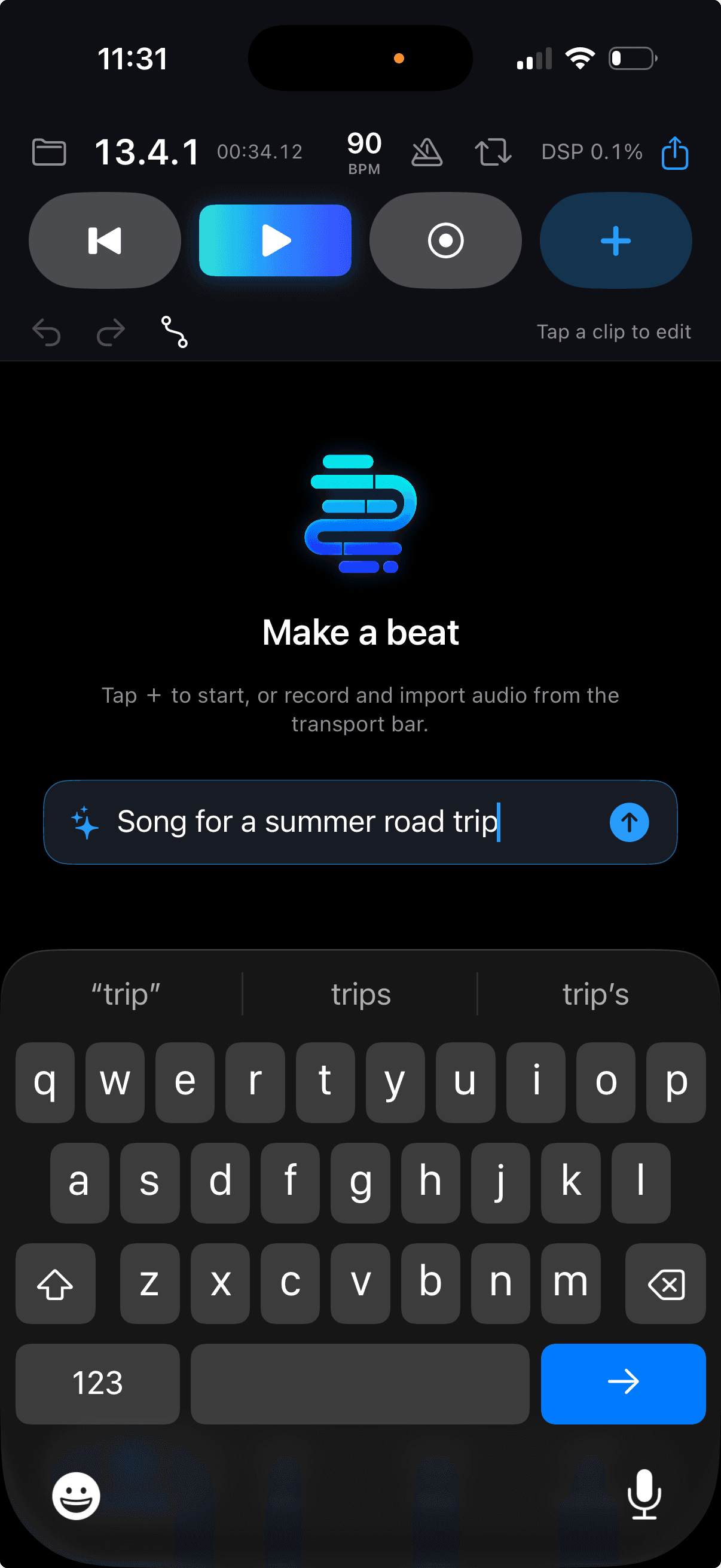
Describe it → Bounce builds it

How It Works

From idea to finished project
01

Describe

Type a vibe — a mood, a genre, a reference, a moment. Spark understands natural language.

02

Generate

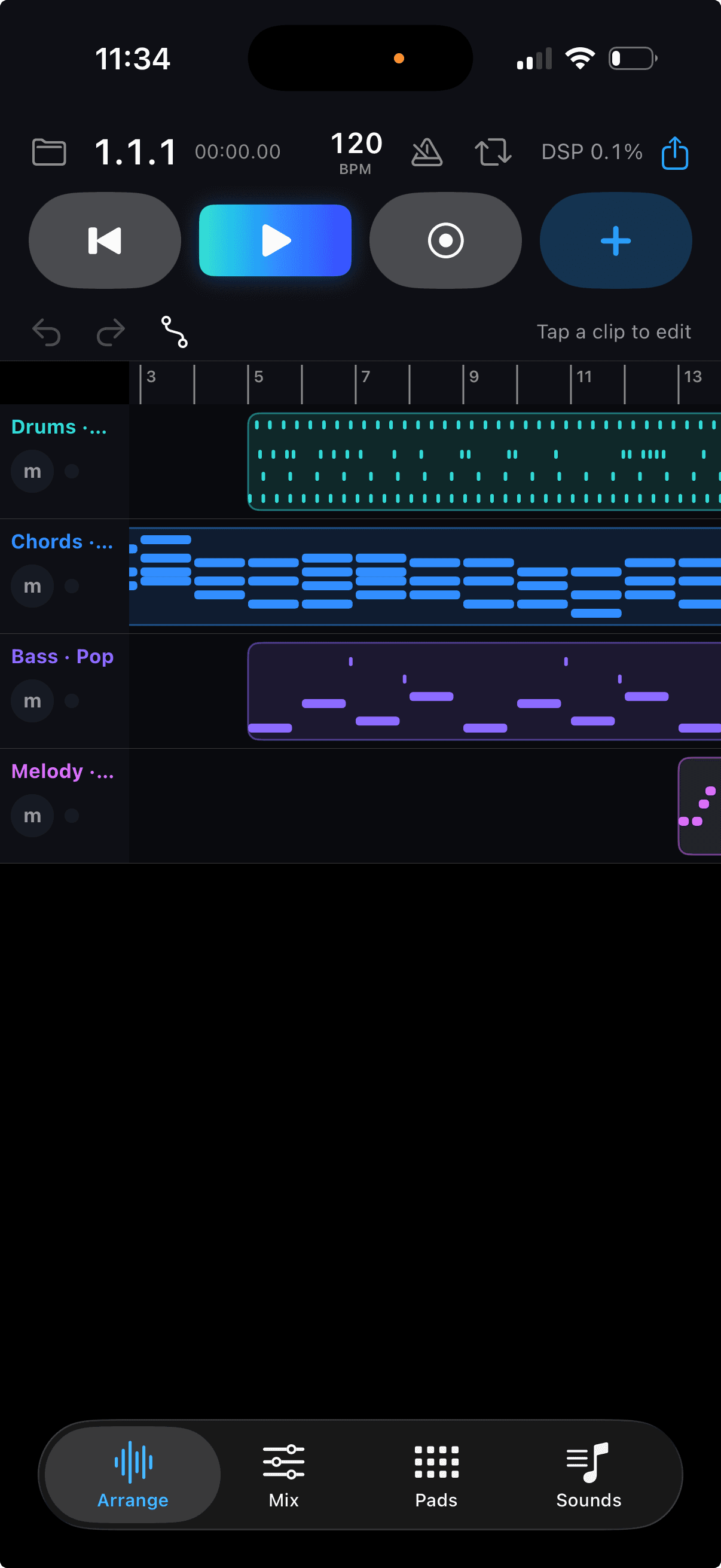
Spark builds an auto-mixed multitrack session in seconds — drums, bass, chords, melody. A first draft, not a final cut.

03

Edit

The project is fully yours. Trim, arrange, tune, add vocals, layer your own recordings.

04

Own

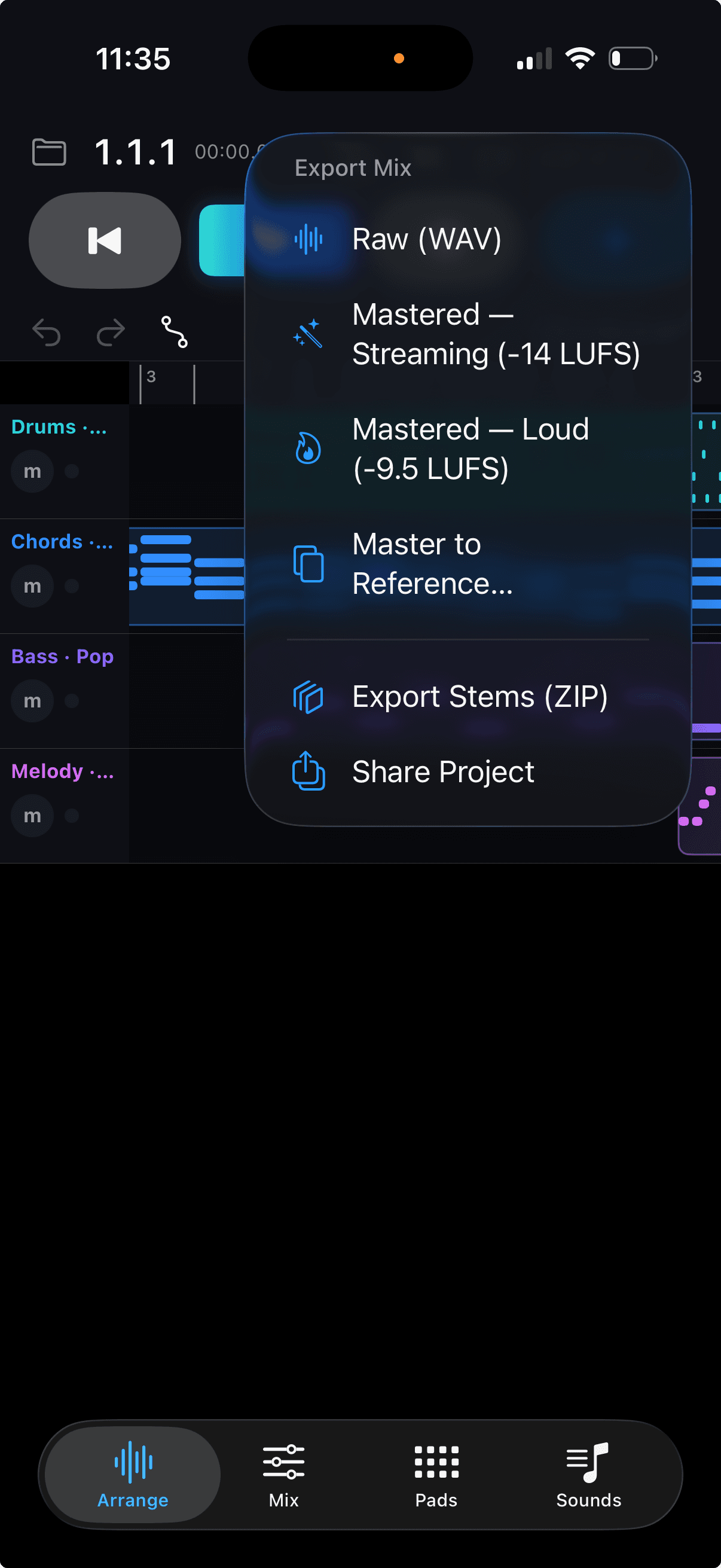
Export a finished mix, individual stems, or the entire editable project. No locked renders.

Spark — AI Creation

Your prompt.
A full project.

Spark is the AI composition engine built into Bounce. Describe a mood, an activity, an era, or drop an artist reference — Spark generates a complete, auto-mixed multitrack session across 13 genres. Every render is a first draft — different every time, and fully yours to produce.

13 genresEach with its own kit, bass, chords & melody
Auto-mixed on generationBalanced levels — not a pile of raw samples
Every render is uniqueNew key, chords, melody, and groove each time
Fully editableEvery track unlocked — arrange, tune, record on top
Bounce app screenshot
AI Vocals & FX
NEW

Sketch the vocal. Shape the sound.

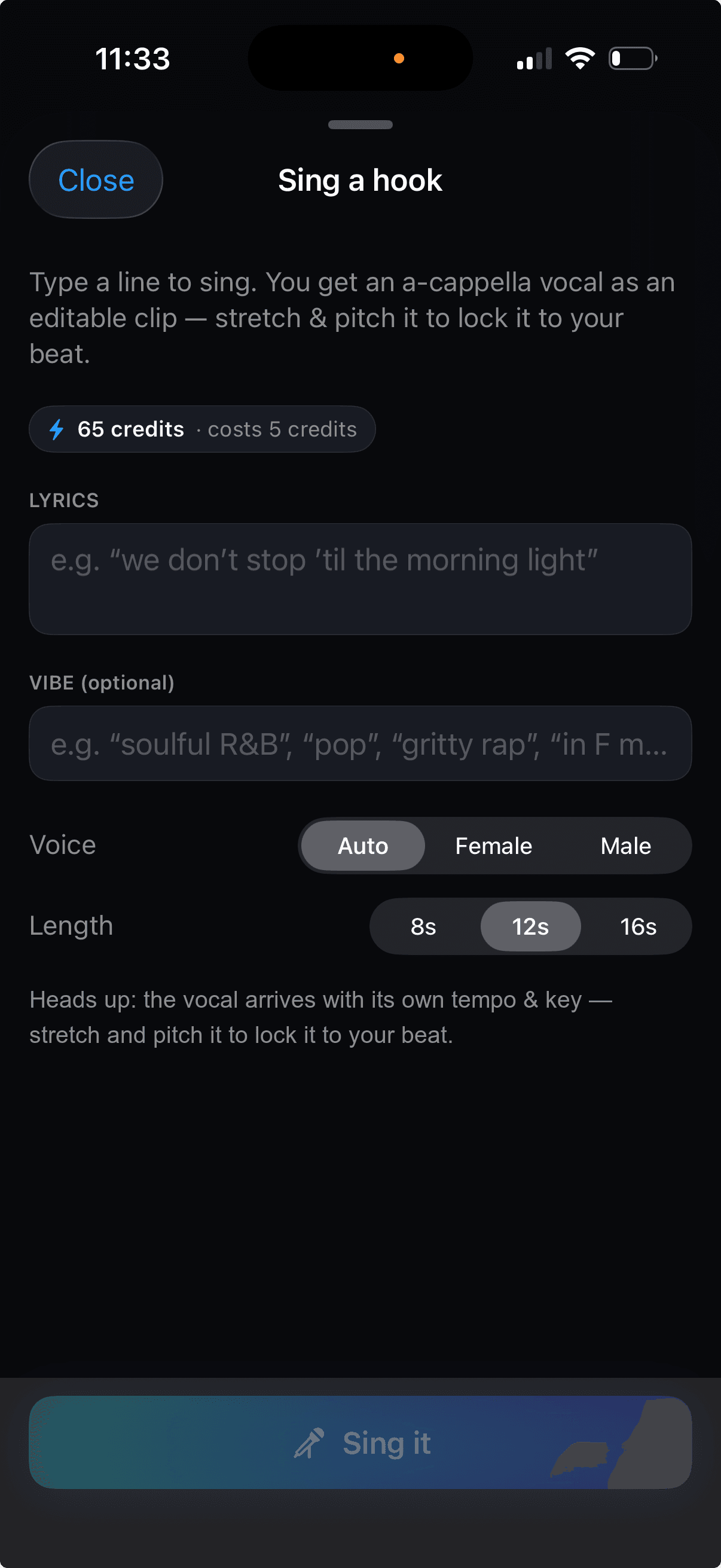
Hear your hook before you record it. Describe lyrics and a vibe — Bounce returns an a-cappella scratch vocal to arrange against. Keep it as a texture, or replace it with your own take. Need a riser, a chop, an impact? Describe it. Get it. Edit it.

Sing a Hook

Describe lyrics + a vibe → an a-cappella scratch vocal clip. Choose female, male, or auto. 8, 12, or 16 seconds.

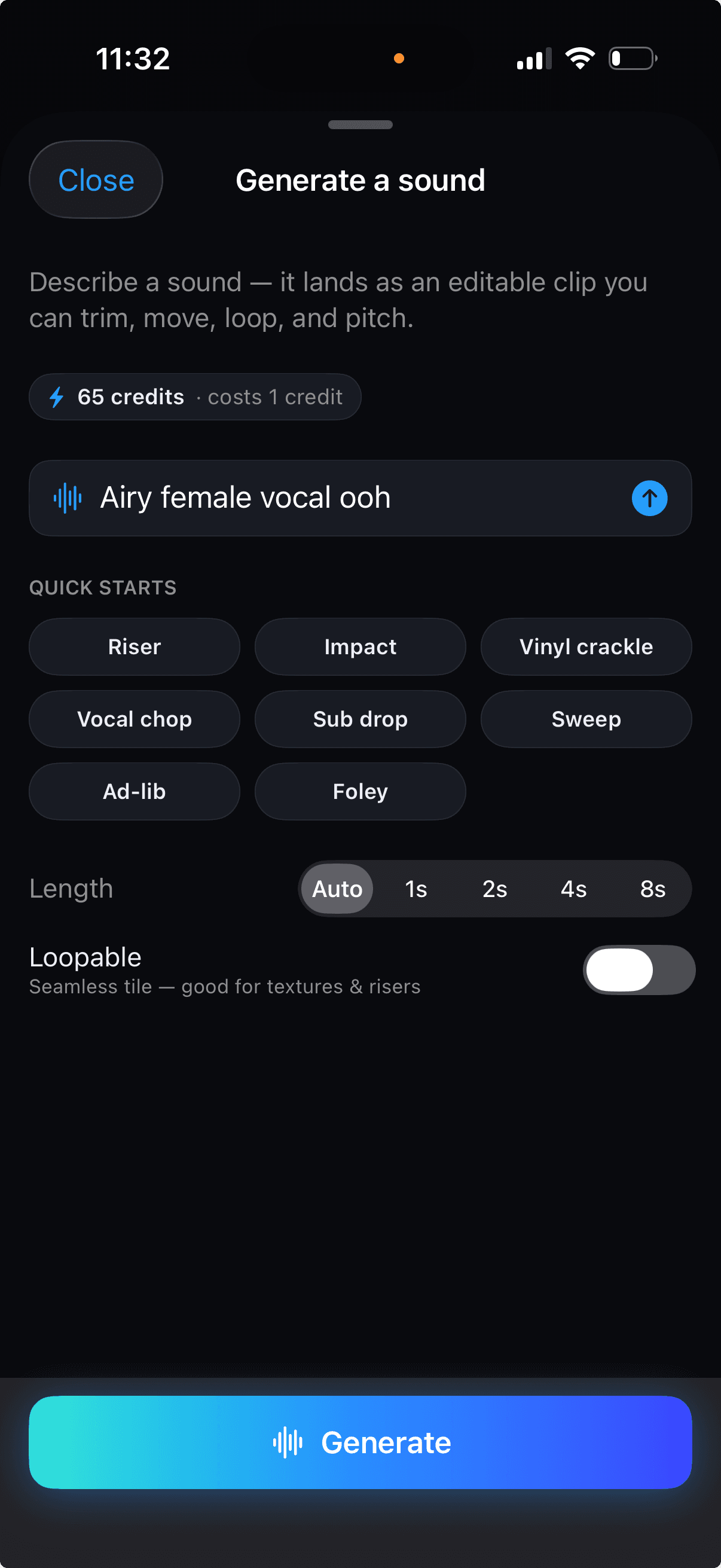
Generate a Sound

Risers, textures, vocal chops, impacts, one-shots. Pick a length, make it loopable, trim it in your project.

Everything arrives as an editable audio clip — trim, tune, arrange.

A tool, not a replacement

Not a locked render.

Song generators give you an MP3 you can't touch.
Bounce gives you the project.

Every track unlocked

Mute, solo, rearrange, delete

Add your own layers

Record vocals or instruments on top

Export what you want

Mix, stems, or the full project file

Works offline

Your project lives on your device

Full Studio

Pro tools. Thumb-sized.

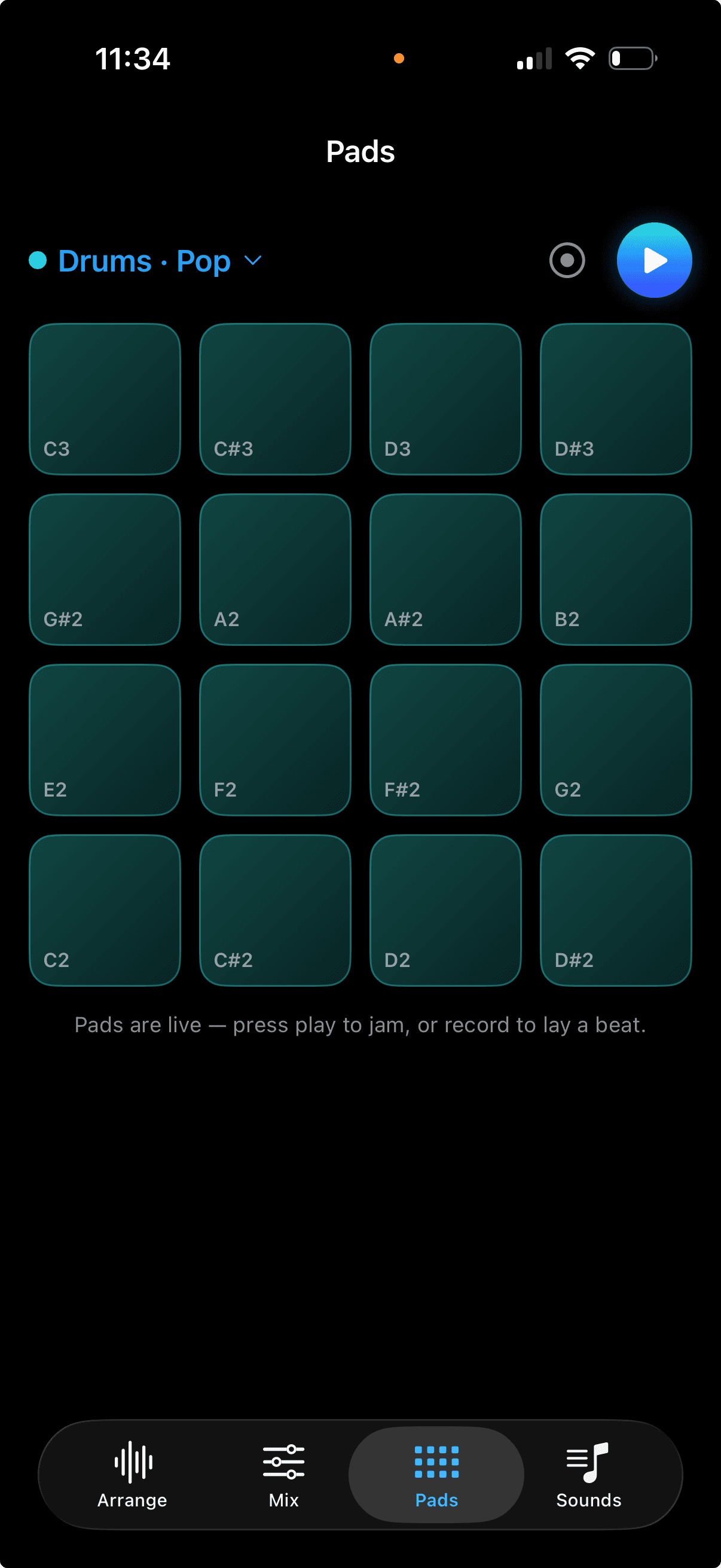
The AI gets you started. The studio gets you finished. Bounce is a full-featured DAW — 16 tracks, a step sequencer, performance pads, pro mixer, and AUv3 plugin hosting. Everything a desktop DAW has, in your pocket.
Bounce app screenshot

16 Tracks

Lay down up to 16 tracks anywhere — vocals, instruments, loops, AI clips, and samples.

Step Sequencer & Pads

Build patterns with the step sequencer or finger-drum in real time on performance pads.

Pro Mixer

EQ, compression, reverb, delay, pan, sends, and automation. Real signal processing.

Bounce Sampler

Turn any sound — a drum hit, a voice memo, a found sound — into a fully playable instrument.

AUv3 Plugin Hosting

Bring your own synths and effects. Bounce hosts your AUv3 instruments and plug-ins natively.

Non-Destructive Editing

Slice, comp, time-stretch, pitch-correct. Your originals stay untouched. Unlimited undo.

Built for a gap nobody else fills

Song generators skip the artist. DAWs start from silence. Bounce keeps the spark and the craft.

Song Generators
Suno, Udio, etc.

Locked MP3 output
Can't edit tracks
No instruments or pads
Stems? No.
Loses your creative voice

Mobile DAWs
GarageBand, etc.

No AI generation
Desktop ports, mobile pain
No AI vocals or FX
Setup takes minutes
Blank canvas every time

Bounce

AI session — fully editable
16 tracks, pro mixer
Scratch vocals & sound FX
Export mix, stems, project
Built from scratch for thumbs

Pricing

Free$0
4 tracks
2 projects
Full studio & mixer
Export mix & stems
15 Spark credits included
ProUnlock in-app
16 tracks
Unlimited projects
Full studio & mixer
Export mix, stems & project file
More Spark credits available

No subscription required to start creating.
New
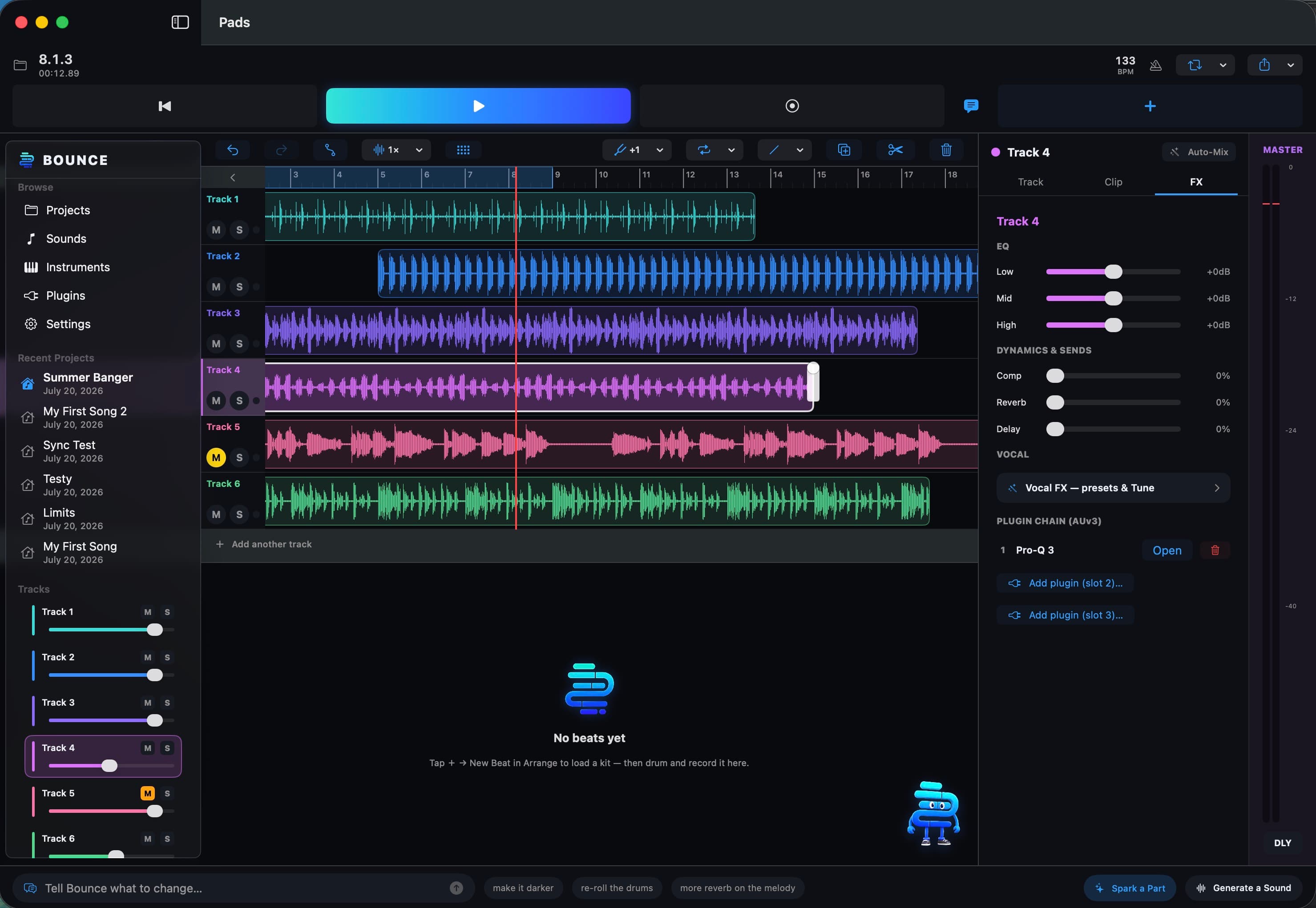
Mac Desktop App

Bounce is now on Mac.

The full Bounce studio — Spark, sound generation, 16-track mixer — now running natively on your Mac.

Download for Mac — Free

Requires macOS 15 (Sequoia) or later  ·  Apple Silicon & Intel

Last updated: 7/20/26 10:08pm PDT

Bounce for Mac — studio interface
Bounce

The studio is in your pocket.

Describe it, record it, produce it, own it. Bounce is free to download.

Download on the App Store

Free to download. Available on iPhone & iPad.